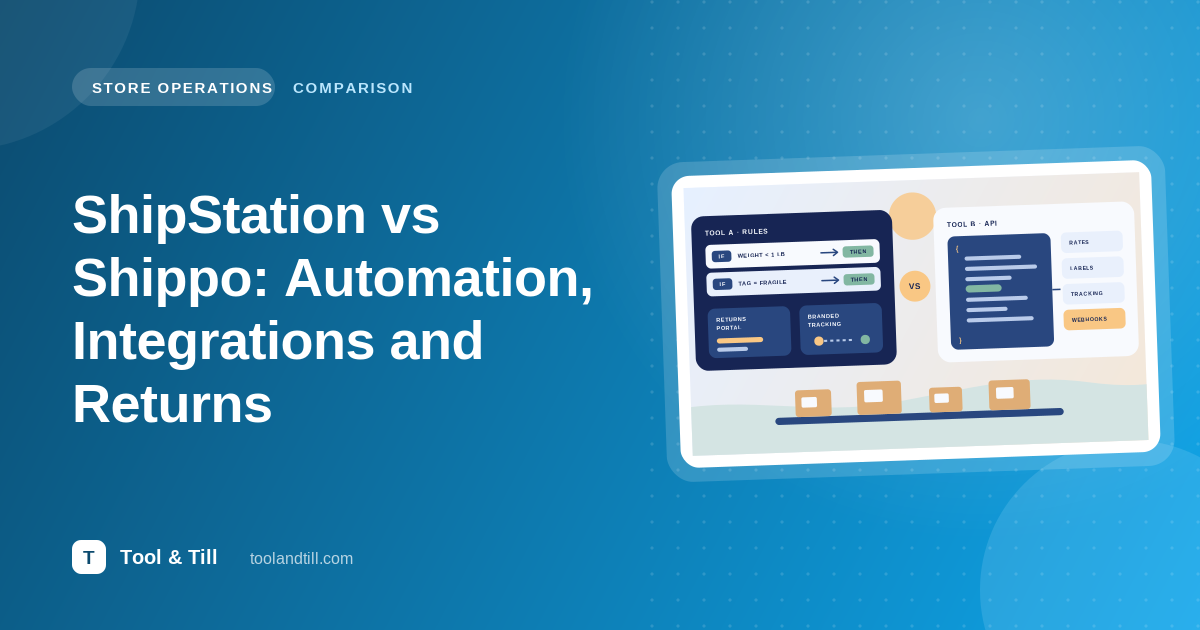
Once a store ships more than a few parcels a week, buying labels one at a time on a carrier website gets slow. Shipping software pulls orders in from your store, shows carrier options side by side and prints labels in batches. ShipStation and Shippo are two of the names small sellers run into first.
They overlap a lot: both import orders, connect to several carriers, print labels and send tracking. The differences show up in how much the software decides for you, how returns work and how developers connect to it. This comparison uses ShipStation's and Shippo's help centers and developer documentation, linked in the sources. It does not quote plan prices or label discounts, which change often and depend on your account.
Quick summary
- ShipStation is built around a fulfillment workflow: orders flow in from many channels, rules set packages and services as they import, and staff print, pack and ship from one screen.
- Shippo covers the same basics with a lighter setup, and its public API is a major part of the product for teams that build shipping into their own systems.
If your bottleneck is deciding what each order needs, look hard at automation depth. If it is connecting shipping to your own app or site, look at the API docs first.
Automation
ShipStation
ShipStation's help center describes a layered system that runs as orders import:
- Product defaults store weight, package and service on a product record. ShipStation says these apply only to orders with a single line item in a single quantity.
- Preset groups apply the same defaults to many products at once.
- Automation rules use IF/THEN logic to find matching orders and apply one or more actions, such as setting a service, package or tag. ShipStation notes they run after defaults and presets, and only on newly imported orders unless you reprocess them.
For multi-item orders, ShipStation suggests tagging products and using those tags as rule criteria.
Shippo
Shippo's Automation Rules Overview explains that rules let Shippo make shipping selections for you. You create them from the Orders page settings under Shipping → Automations. The If part targets an order property such as weight or item name, and the action can assign a package or a carrier service. Shippo notes that more than one rule can apply to an order and that rule order changes the result.
Both approaches cover the common case: "orders under a certain weight get this service." ShipStation documents more layers for catalogs where products need their own defaults.
Store and marketplace connections
ShipStation advertises more than 200 integrations across stores, marketplaces and carriers, and names Amazon, eBay, Etsy and Walmart among its marketplace connections. Shippo publishes integration pages for platforms including Shopify, WooCommerce and Etsy.
Before choosing, list every channel you sell on and confirm each one on the vendor's current integration page. Check what syncs back too: tracking numbers, fulfillment status and, for marketplaces, any required carrier details.
Label printing
ShipStation documents support for 4" x 6", 100 x 150 mm and A6 thermal labels plus desktop printers. You print either through ShipStation Connect, a small app on the computer attached to the printer, or by downloading a PDF. Zebra printers can receive ZPL instead of PDF after a configuration change.
Shippo's help center covers printer and label size settings and notes that thermal printer labels are usually a vertical 4x6 format. Our guide to choosing a label printer explains what to check on the hardware side for either tool.
Returns and tracking
This is where the documentation differs most.
- ShipStation offers a branded returns portal where customers start self-service returns; it is enabled store by store. Its Branded Tracking Page replaces the carrier link in shipment confirmation emails with a page in your store's branding, for labels created after you enable it.
- Shippo documents scan-based return labels for USPS, FedEx and UPS, and its support article says international return labels are not available. Its Tracking API returns normalized tracking data across carriers, with
track_updatedwebhooks that can notify your own systems.
If you sell across borders, check how each tool handles return shipments from your customers' countries before committing. Our guide to writing a product page that converts covers where to explain your returns policy to buyers.
Developer access
Shippo's developer documentation describes a multi-carrier REST API for rates, labels (called transactions), batches, address validation, customs and tracking, with official SDKs and separate test keys. ShipStation also publishes an API (v2) with shipment and inventory endpoints; its docs say the inventory endpoints require an Inventory API add-on.
If you only use the web app, the API matters less. If a developer will connect shipping to a custom storefront or warehouse system, compare the API references directly.
Checklist before you choose
- List every sales channel and confirm each integration on the vendor's current page
- Check which carriers each tool supports from your country
- Write down your three most common shipping decisions and test whether rules can make them
- Confirm label formats match your printer (4x6, 100 x 150 mm, A6 or letter/A4)
- Decide how customers will start returns and whether you ship internationally
- Check how tracking links reach customers and whether you want them branded
- Compare current plan limits on shipments, users and stores on the official pricing pages
- Add shipping software costs to your profit margin calculation
- Run a trial with real orders before switching your whole store
FAQ
Which is easier for a brand-new store?
It depends on volume and channels. A single store with simple shipping may not need layered automation, while multichannel sellers may value ShipStation's import rules. Try both with your own orders.
Which carriers can I use?
It depends on where you ship from. Shippo's carrier capabilities page lists carriers by origin country, and ShipStation lists carriers in its integrations directory. Availability differs between the US, UK, Canada and Australia.
Does Shippo support international return labels?
Shippo's support article says international return labels are not available. Its return labels are scan-based and cover USPS, FedEx and UPS.
Do I need a developer to use either tool?
No. Both have web apps with store integrations. The APIs are only needed for custom connections.
About this comparison
This comparison is based on ShipStation's and Shippo's help centers, product pages and developer documentation, listed below. We have not shipped orders with either tool for this article, so it is not a hands-on review. Features, carriers and plans change, so confirm current details on each vendor's site before you decide.