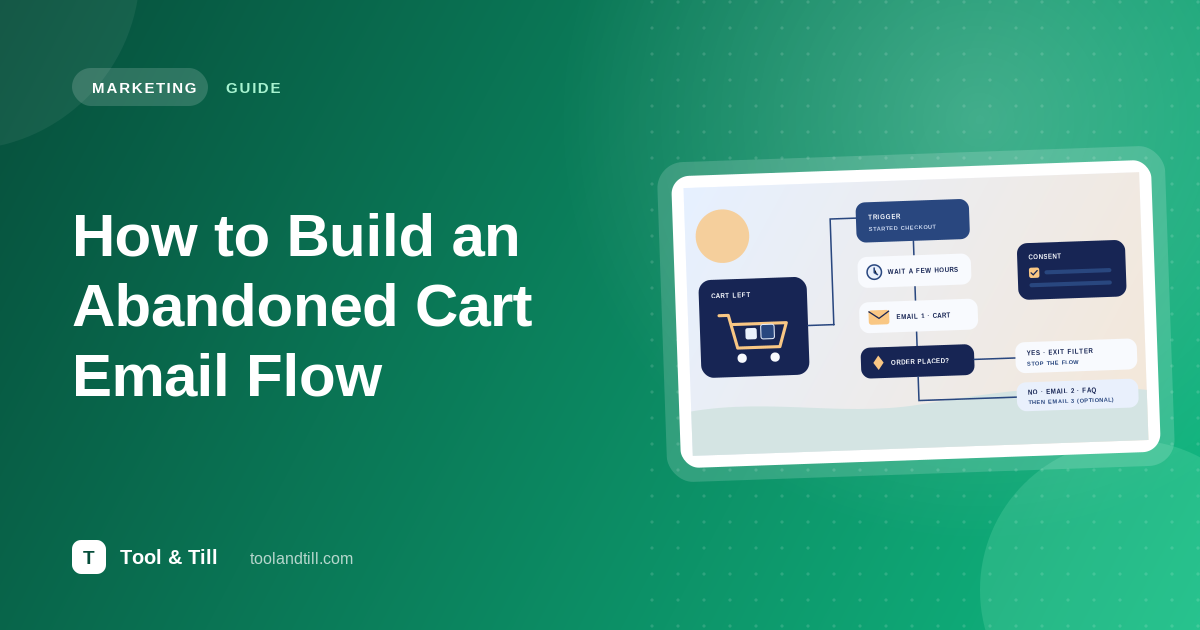
An abandoned cart flow is usually the first automation a new store sets up, and for good reason: it reaches people who already chose a product and got as far as the cart or checkout. Building one is not hard, but a few setup details decide whether it helps or annoys customers. The most important are which event starts the flow, how people leave it after they buy, and whether you are allowed to email them at all.
This guide walks through the build in platform-neutral steps, with notes from Shopify's, Klaviyo's and Mailchimp's documentation, and the UK and US marketing-email rules. It does not include benchmark open or recovery rates, because those depend heavily on your store and list.
If you have not picked an email tool yet, start with our guide to choosing an email marketing platform for a small store.
Step 1: Decide what counts as "abandoned"
There are three common triggers, and they catch people at different stages:
- Viewed a product (browse abandonment). Klaviyo's browse abandonment flow uses the Viewed Product metric, which needs product-view tracking on your site.
- Added to cart. Catches more people, earlier, but only if your store sends an add-to-cart event to the email tool.
- Started checkout. Klaviyo's help center says its default abandoned cart flow is triggered by Started Checkout. Shopify's built-in automation works on abandoned checkouts.
Started Checkout is the simplest place to begin, because the shopper has usually entered an email address. You can add an earlier Added to Cart flow later.
One flow done well beats three overlapping flows. Start with checkout, then expand.
Step 2: Connect your store and check the data
The flow can only send what your email tool receives from the store.
- Shopify Email / Shopify Marketing: the abandoned checkout automation is created under Marketing > Automations, and Shopify's help center says you can edit the workflow, including the wait time.
- Klaviyo: Klaviyo has a troubleshooting article for Started Checkout tracking. Place a test checkout and confirm the event appears on your test profile before you switch the flow on.
- Mailchimp: Mailchimp's help center says you need a connected, supported ecommerce store or a custom API 3.0 integration to send abandoned cart emails. Its developer docs add that a cart needs a customer email address and a checkout URL before an abandoned cart email can be created.
If you use a third-party checkout app, check its docs too. Some checkout apps need their own setup before abandoned checkouts reach your email tool.
Step 3: Add the exit filter
This is the step people skip. Without it, someone who completes the order can still get a "you forgot something" email an hour later.
Klaviyo's setup steps use a flow filter of Placed Order zero times since starting this flow. If you run both an Added to Cart flow and a Started Checkout flow, Klaviyo recommends adding Started Checkout zero times since starting this flow to the Added to Cart flow, so one shopper doesn't receive both. Its browse abandonment guidance uses the same idea.
Whatever tool you use, the rule is the same: every email in the flow should check that the person still has not bought.
For a closer look at how Shopify's own automations and Klaviyo flows differ, see our Shopify Messaging vs Klaviyo workflows comparison.
Step 4: Set the timing
A simple three-message structure is a reasonable starting point:
- Email 1: a few hours after abandonment. A short reminder with the cart contents and a button back to checkout. Shopify's blog suggests a first reminder two to four hours after abandonment.
- Email 2: about a day later. Answer likely objections: shipping times, returns, sizing, product care.
- Email 3 (optional): a couple of days later. A final reminder. If you offer a discount, keep it here, not in the first email, so buyers don't learn to wait for one.
Watch results for a few weeks before changing the timing, and change one thing at a time.
Step 5: Write the emails
Keep the job of each email clear.
Show the cart
Use the tool's dynamic cart block. Mailchimp adds a cart content block automatically, and Klaviyo templates pull items from the trigger event. Check that images, variant names and quantities display correctly.
Make the way back easy
One prominent button that restores the cart or checkout. Test it on a phone.
Answer, don't pressure
Real stock or time limits can be mentioned only if they are true. Shipping cut-offs, returns and contact details usually do more work than urgency lines.
Keep the legal basics
Every marketing email needs an unsubscribe link, and in the US, the FTC's CAN-SPAM guide also requires a valid postal address and accurate subject lines.
Step 6: Check consent before you switch it on
Shopify Community moderators say abandoned cart emails are treated as marketing emails, so Shopify's default sends them only to customers who agreed to email marketing. That matches the law in many places.
- UK: the ICO's guidance says you generally need consent to send marketing email to individuals. The "soft opt-in" exception covers your own customers whose details you collected during a sale or negotiation of a sale, as long as you offered a clear opt-out then and in every message.
- US: CAN-SPAM does not require prior consent but does require a working opt-out, an accurate sender and a physical address.
- Canada, Australia and the EU have their own rules. Check them, or ask a professional, before you change who the flow sends to.
Launch checklist
- Trigger chosen (start with Started Checkout).
- Test event appears on a test profile.
- Exit filter on the flow: no message after an order.
- Overlap filters if you run more than one abandonment flow.
- Cart block shows correct images, variants and links.
- Checkout button tested on mobile.
- Unsubscribe link and postal address in the footer.
- Audience limited to people you may legally email.
- Discount, if any, only in the last message.
- A date set to review results.
FAQ
What's the difference between abandoned cart and abandoned checkout?
An abandoned cart starts when someone adds a product but does not check out. An abandoned checkout starts when they begin checkout and leave. Many tools, including Klaviyo's default flow and Shopify's built-in automation, start with checkout.
How many emails should the flow have?
There is no fixed number in the docs. Two or three is a common starting point; add more only if each one has something new to say.
Should every abandoned cart email include a discount?
No. A discount in every email trains customers to abandon carts on purpose. If you use one, test it in the last message only.
Can I add SMS to the flow?
Klaviyo and Mailchimp both document abandoned cart SMS, but SMS has its own consent rules. Collect SMS consent separately before you add text steps.
About this guide
This guide is based on documentation from Shopify, Klaviyo and Mailchimp, plus guidance from the UK ICO and the US FTC, all listed below. We have not run these flows on a live store for this article, so it is not a hands-on test, and it is not legal advice. Features and rules change, so check the current documentation for your tool and country. For product recommendations inside these emails, see our guide to Klaviyo product feeds.