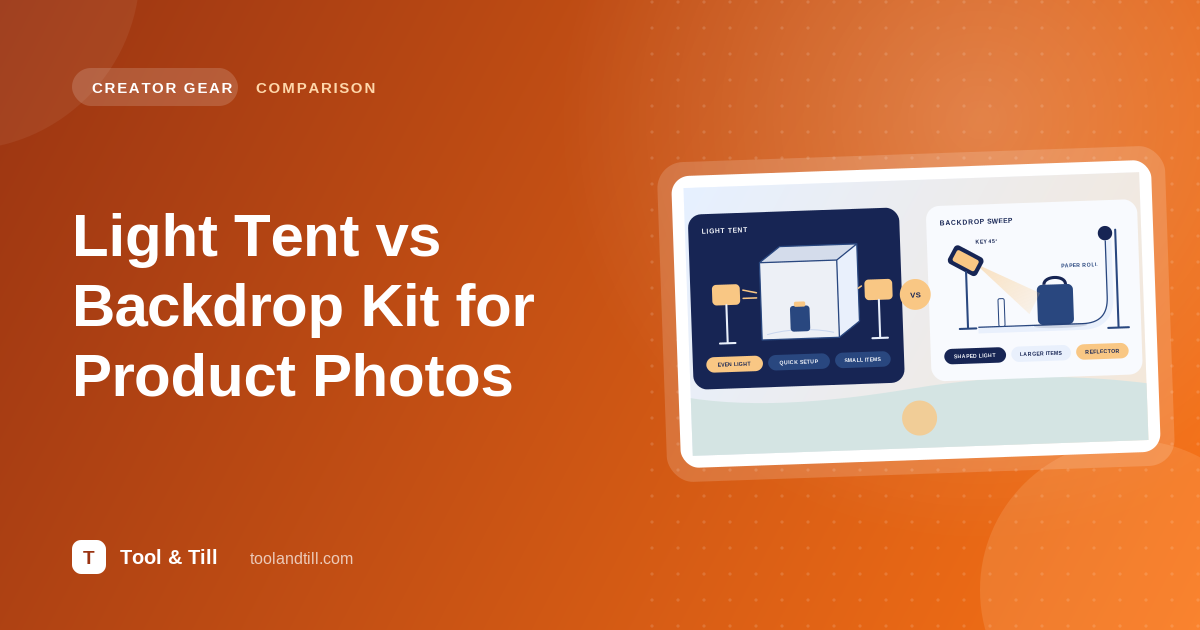
Most small stores reach the same point: the product photos need a clean, consistent background, and two kinds of kit keep showing up. One is a light tent, a fabric or panel box that you put the product inside. The other is a backdrop kit, usually a stand and a roll of white paper or fabric that forms a seamless curve, often called a sweep. Both can produce a white-background product shot. They differ in how much control they give you and how much work they ask for.
This comparison draws on photography guides from B&H, Shopify and Format, manufacturer guidance from Neewer and Google Merchant Center's image best practices, all linked in the sources. It does not rank products or quote prices.
Quick summary
- A light tent spreads light evenly around a small product with little setup. It is limited by its size and by where you can place lights.
- A backdrop kit takes more effort with lighting, but it fits larger items and lets you shape light, shadows and reflections however you like.
If most of your catalog fits in a shoebox and you shoot often, a light tent keeps things simple. If your products vary in size or you want styled shots, a sweep gives you more room to work.
How a light tent works
A light tent is a frame covered in translucent material, white in most cases, with one open side or a port for the lens. B&H describes its translucent sides as letting light diffuse evenly, and Shopify calls it an enclosed box that diffuses light from every angle. Lights sit outside the walls, usually one on each side, or are built in.
Neewer's buying guidance separates two types: rigid light boxes with built-in dimmable LED strips, and fabric tents with no lights that need external lamps. It suggests choosing a size slightly larger than your largest product, with small tents for jewelry and cosmetics and larger ones for shoes, bags and mugs.
Strengths
- Even light with few shadows, which B&H and Wikipedia's overview both describe.
- Quick setup that is easy to repeat, useful when you shoot many similar items.
- Hot spots from room lighting are evened out, a point SLR Lounge makes.
- Shopify notes it helps with harsh reflections on polished metal and faceted gemstones.
Limits
- Size: B&H says tents are typically designed for smaller products.
- Control: lights can only go outside the walls, which SLR Lounge says limits creative lighting.
- Style: the very even light can look uniform when you want more depth or mood.
How a backdrop kit works
A sweep is a backdrop that curves from vertical to horizontal, so there is no visible line where the wall meets the table. Shopify describes it as usually a white roll of paper or a piece of fabric, held by a backdrop stand or propped with blocks. Format notes that paper is inexpensive and that a scuffed section can be cut off and fresh paper rolled down.
The lighting is up to you. Shopify suggests one light at about 45 degrees to the product with a softbox for soft light, and Format suggests a key light at a similar angle with a reflector on the opposite side. For white products on white, Format suggests a black card to add edge definition. If you need help picking the light itself, see our ring light vs softbox comparison.
Strengths
- Fits larger and mixed products, limited mainly by the roll width.
- Full control over light direction, shadows and reflections.
- Easy to change color or material, which B&H highlights as the main advantage of a table setup.
Limits
- More setup and adjustment, and B&H notes more work controlling shadows and reflections.
- Shopify warns that a product placed near the back of the sweep can show shadows on the background; moving it forward helps.
What marketplaces expect
Both setups can meet common requirements. Google Merchant Center's best-practice page recommends a solid white or light neutral background, a product filling 75% to 90% of the frame and images of 1500 x 1500 pixels or larger. It also asks for no added text, watermarks or logos. Either kit gets you the clean background; framing and file size are up to how you shoot.
For a full setup walkthrough on small, shiny products, see our guide on how to photograph jewelry and small products at home. For general light placement, read our product photography lighting guide.
Checklist for choosing
- Measure your largest product and allow space on every side.
- Count how many products you shoot each month; repetition favors a tent.
- Decide whether you want only white-background shots or styled shots as well.
- Check how reflective your products are.
- Check whether you already own lights; a fabric tent and a sweep both need them.
- Measure the table and floor space you can leave set up.
- Plan how you will mark camera and light positions for consistent results.
FAQ
Is a light tent good for jewelry?
Shopify and B&H both describe light tents as useful for jewelry and other small, shiny items because light is diffused from every side. You may still want white or black cards to shape reflections.
Can I use a light tent for clothing or shoes?
Shoes and bags can fit larger tents, according to Neewer's size guide, which lists 24-inch and larger tents for items such as backpacks and boots. Anything bigger than the largest tent you can fit is a job for a backdrop.
Do I need lights with a backdrop kit?
You need a light source. A window can work, but a softbox or LED panel gives you more consistent results from shoot to shoot.
Why does my white background look grey?
The background is getting less light than the product. Add light to the background or increase exposure slightly, keeping the whites from clipping.
About this comparison
This comparison is based on published guides and documentation from B&H, Shopify, Format, Neewer, SLR Lounge, Wikipedia and Google Merchant Center, listed below. We have not tested specific light tents or backdrop kits for this article, so it is not a hands-on review. Check the dimensions and included parts of any kit before you buy.