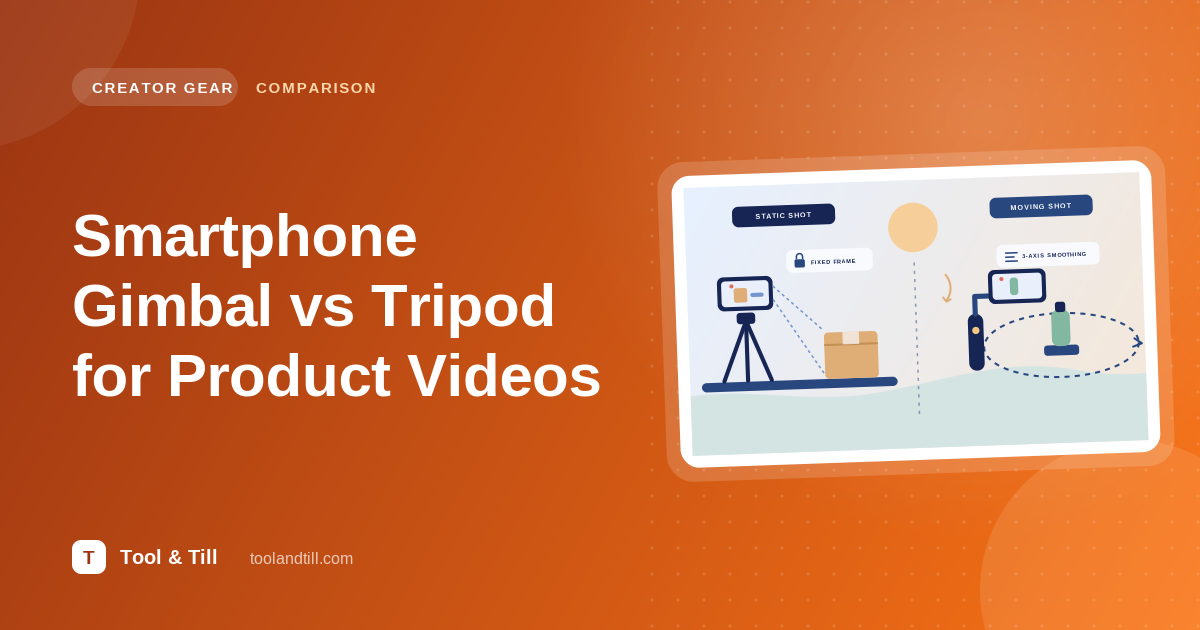
Most product videos for a small store are shot on a phone. The question is what holds the phone. A tripod keeps it perfectly still; a smartphone gimbal keeps it steady while it moves. Those sound similar, but they suit very different shots, and buying the wrong one is a common reason product videos look either static or wobbly.
This comparison explains which shots each tool is built for, what to check before buying, and how your phone's own stabilization fits in. It is based on manufacturer documentation and specifications from DJI, Manfrotto, Apple and Google, listed in the sources. It does not quote prices or rank specific models.
What each tool actually does
Tripod
A tripod, or a small tabletop stand with a phone clamp, holds the phone in a fixed position. Manfrotto's PIXI clamp, for example, is listed for phones 60–104 mm wide and has standard 1/4-inch threads on the side and base, so the phone can sit in portrait or landscape. The camera does not move unless you move the tripod.
Smartphone gimbal
A gimbal uses motors on several axes to counter your hand movement, so the phone stays level as you walk, pan or circle a product. DJI's Osmo Mobile documentation describes app features such as subject tracking (ActiveTrack) and gesture control through the DJI Mimo app. Gimbals have a supported phone size and weight range: DJI's spec sheet for the Osmo Mobile 7 series lists a compatible phone weight of 170–300 g, for instance.
A gimbal smooths movement. A tripod removes it. Decide whether your shot needs the camera to move before choosing.
Which shots suit which tool
Shots that need a tripod
- Talking-head demos and tutorials, where you explain a product to camera
- Unboxing and hands-in-frame shots, where the product and your hands move but the camera should not
- Overhead or tabletop shots of small items, recipes, crafts or packing orders
- Live selling, where the phone needs to stay put for a long session
- Time-lapses and before/after clips, which need identical framing
Shots that need a gimbal
- Walk-through videos, such as showing a room, a workshop or a market stall
- Orbit shots that circle a larger product like furniture or a bike
- Lifestyle clips following someone using a product outdoors
- Smooth reveals and pans that would look shaky handheld
Many stores need both over time, but most first product videos are static shots. If your catalog is small items photographed on a table, a tripod usually covers the majority of what you will film.
Check your phone's built-in stabilization first
Modern phones already stabilize video, which can reduce the need for a gimbal for light movement.
- iPhone: Apple's iPhone User Guide says Action mode, on supported models, provides improved stabilization while recording video. It notes that Action mode works best in bright light, has a lower-light option in Settings → Camera → Record Video, and has a maximum capture resolution of 2.8K.
- Google Pixel: Google's Pixel Camera help describes several video stabilization options, including Standard, Locked for still shots and Active for heavier movement, plus a Cinematic Pan mode on supported models for slow, smooth pans.
Built-in stabilization works by cropping and processing the image, so check the resolution limits for your model. It also cannot hold a phone still on a table, so it does not replace a tripod.
What to check before buying a gimbal
- Phone fit: compare your phone's weight, width and thickness, including its case, with the gimbal's listed range
- Lens attachments and accessories: extra weight from a clip-on lens or microphone can push a phone over the limit
- App support: tracking and gesture features usually depend on the vendor's app and your phone model
- Built-in tripod or extension rod: DJI's spec sheet lists a built-in tripod on the Osmo Mobile 7, and a built-in extension rod only on the 7P
- Battery life and charging for long shoots
- Folded size if you film on location
DJI notes that the Osmo Mobile 7's built-in tripod is meant for stable, level surfaces without wind, and suggests a separate grip tripod in other conditions. That is a useful reminder: a gimbal's mini tripod is a convenience, not a replacement for a proper stand.
What to check before buying a tripod or stand
- Phone clamp width against your phone in its case
- Maximum height for talking-head shots at eye level
- Overhead options, such as a horizontal arm, if you shoot flat-lays
- A cold shoe or extra 1/4-inch thread for a light or microphone
- Stability: a light tabletop tripod can tip with a heavy phone and accessories
Lighting matters as much as stability. See our guide to lighting for product photography at home and our ring light vs softbox comparison.
Checklist before you choose
- List the five videos you plan to shoot first and mark each as static or moving
- Test your phone's built-in stabilization on a moving shot before buying a gimbal
- Measure your phone with its case and any lens or mic attachments
- Check the gimbal's supported weight and the vendor's compatibility list
- Make sure your tripod or stand reaches the height and angle you need
- Plan where a light and microphone will mount
- Keep the setup simple enough to repeat for every new product
For audio on demo videos, see how to choose a wireless mic for product demos.
FAQ
Can a gimbal replace a tripod?
Not fully. Some gimbals include a small built-in tripod, but DJI describes it as suited to stable, level surfaces. For long static shots, live selling or overhead setups, a dedicated tripod or stand is more practical.
Do I need a gimbal if my phone has stabilization?
Not always. Built-in modes such as iPhone Action mode or Pixel's Active stabilization handle a lot of walking movement. A gimbal adds smoother pans, tracking and more control, so test your phone first.
Will a gimbal fit my phone?
Check the gimbal's listed phone weight, width and thickness range against your phone with its case. Large phones with heavy cases and accessories are the most likely to fall outside the range.
Which is better for live selling?
A tripod or stand, because the phone should stay in one place for the whole session. Our guide to choosing a webcam for live selling and streaming covers other setup options.
About this comparison
This comparison is based on manufacturer documentation and specifications from DJI, Manfrotto, Apple and Google listed below. We have not tested these products for this article, and it is not a hands-on review of stabilization quality or durability. Specifications change between models, so confirm current details for your exact phone and device before buying.