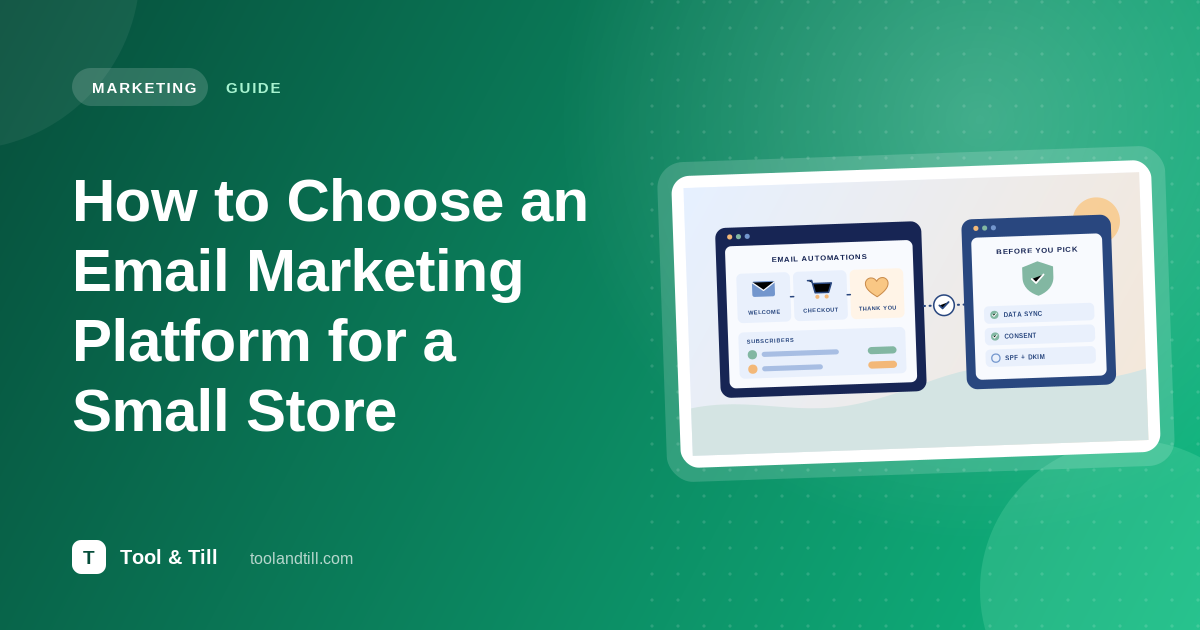
Most small stores start email marketing the same way: a few hundred subscribers, a welcome email, and an abandoned-checkout reminder. The platform you pick for that first list matters more than it seems, because moving later means re-importing contacts, rebuilding automations, and re-checking consent records.
This guide walks through how to choose an email marketing platform for a small online store using what vendors document about their own tools. It doesn't rank platforms. It gives you the questions to ask and where to find the answers.
Start with the jobs, not the feature list
Before you open any pricing page, write down the emails your store actually needs to send in the next six months. For most new stores that list is short:
- A welcome email or series for new subscribers
- Abandoned-checkout reminders
- A post-purchase or thank-you email
- Occasional campaigns: launches, restocks, seasonal sales
If your list stops there, a tool built into your store platform may be enough. If you already know you want detailed segments, browse-based triggers, or product recommendations that change per subscriber, put those on the list too, because they separate simpler tools from dedicated email platforms.
Option 1: Use the email tool your store platform includes
If you sell on Shopify, check Shopify Messaging (formerly Shopify Email) first. Shopify's Help Center says marketing automations are available on the Basic Shopify plan or higher, and it describes an abandoned-checkout automation for customers who start checkout but don't finish an order. Shopify also notes that abandoned-checkout automation emails don't count toward your Shopify Email sends, while other automation emails do.
The main advantage of a built-in tool is that customer, order, and product data are already in the same system, so there is no sync to configure. The trade-off is depth: if you later need more advanced flows, you will be moving to another tool anyway. Our Shopify Messaging vs Klaviyo comparison works through that decision in more detail.
Option 2: Connect a dedicated email platform
Dedicated platforms connect to your store and pull in data. Before choosing one, read its integration documentation, not just its marketing page. Three things to look for:
What data syncs, and how far back
Klaviyo's Help Center says that when you first connect Shopify, it syncs the last 90 days of order and customer data, then works back through older history, and new data syncs in real time once the historical sync is done. That history matters if you want to segment existing customers by past purchases on day one.
Which direction the data flows
Mailchimp's documentation describes its Shopify sync as sending updated data from Shopify to Mailchimp, with each Shopify store connected to one Mailchimp audience. Klaviyo's help docs describe an option to sync profile updates back to Shopify. Know which system holds the master record for subscription status so an unsubscribe in one tool isn't lost in the other.
How consent status carries over
Mailchimp says Shopify customers who agreed to receive marketing at checkout sync as subscribed contacts, and others come across as non-subscribed. Check the equivalent behaviour for any platform you trial, because a sync that marks everyone as subscribed would create a compliance problem.
If product recommendations are on your list, see our explainer on how Klaviyo product feeds choose items for an example of what to check in a platform's recommendation logic.
Check deliverability setup before you send
Whichever platform you pick, your emails need to reach the inbox. Shopify's new-store checklist notes that major mailbox providers, including Gmail and Yahoo, require SPF and DKIM email authentication. Shopify's email setup guide explains that if your sender address uses a third-party domain, you add CNAME records to that domain to connect it to Shopify's SPF and DKIM records.
Google's Postmaster Tools documentation defines a bulk sender as one that sends roughly 5,000 or more messages to Gmail accounts in a 24-hour period, and bulk senders face extra requirements. A small store may be well under that today, but a large holiday campaign can change that quickly, so confirm that your platform supports authenticating your own sending domain.
Know the rules for the countries you sell to
Email laws differ between the US, UK, Canada, and Australia, and your platform doesn't take on your legal responsibility. The FTC's CAN-SPAM guide for US senders says commercial emails must include a valid physical postal address and a clear way to opt out, that opt-out requests must be honoured within 10 business days, and that hiring another company to handle your email marketing doesn't let you contract away your responsibility to comply.
Rules in the UK, EU, Canada, and Australia are generally stricter about consent before you send. Check the regulator's guidance for each market you sell to, and ask a lawyer if you are unsure.
On the platform side, look at how it records consent. Mailchimp's Help Center explains that double opt-in asks people to confirm their signup by email before they're added as subscribed contacts, and that it can only be enabled on Mailchimp signup forms. Mailchimp also warns that offline contacts are hard to prove permission for and suggests sending them a link to a signup form instead of importing them straight into your list.
A checklist for choosing your platform
- List the emails you need in the next six months, and mark any that need advanced segmentation or recommendations.
- Check whether your store platform's built-in email tool covers that list.
- For each dedicated platform, read its store integration docs: what syncs, how far back, and in which direction.
- Confirm how marketing consent from checkout and signup forms carries over.
- Confirm you can authenticate your own sending domain (SPF and DKIM), and plan for DMARC.
- Check how the platform counts contacts and sends, and what happens when you cross a plan limit.
- Make sure every template includes your postal address and a working unsubscribe link.
- Test the export: can you download contacts, consent status, and history if you leave?
- Start with the welcome and abandoned-checkout automations before building anything bigger.
Keep the first setup small
The right platform for a small store is the one that handles your current jobs cleanly and lets you leave with your data intact. You can add complexity later. Our guide to essential Shopify app categories covers how to vet permissions and billing before installing any email app.
This guide is based on vendor and regulator documentation available at the time of writing. We haven't run hands-on tests of these platforms. Features, plan requirements, and rules change, so check the linked sources before you decide.