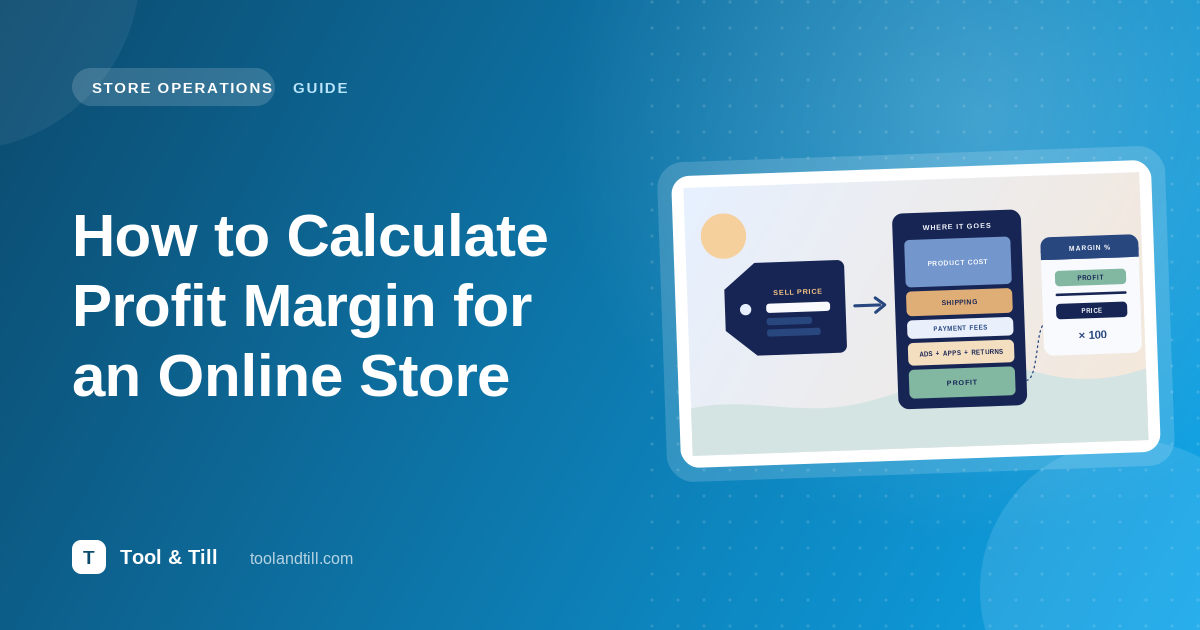
Revenue is the number most store dashboards put first, but it tells you little about whether the business is working. Two stores with the same sales can end the month in very different places once product costs, shipping, payment fees and ad spend come out. Profit margin is the figure that shows what you actually keep.
This guide explains the three margins worth tracking for an online store, which costs belong in each, and where the main store platforms record the data. It uses simple, hypothetical numbers to show the maths; it is not financial or tax advice.
The basic formula
Profit margin is profit expressed as a share of the selling price:
- Margin % = (Revenue − Costs) ÷ Revenue × 100
Shopify's own profit reports use the same shape. Its Help Center defines margin as net sales minus cost, divided by net sales, times 100, and gross profit as net sales minus cost.
The word that changes the answer is costs. Depending on which costs you subtract, you get a different margin, and each one answers a different question.
Three margins, three questions
1. Gross margin: is the product priced sensibly?
Gross margin subtracts only the cost of goods sold (COGS): what you paid to buy or make the item. For a reseller that is usually the supplier price plus any inbound freight or duties you pay to get stock to you. For a print-on-demand or dropshipping store it is the fulfilment partner's charge for the item.
Hypothetical example: a product sells for 40 and costs you 16 to buy.
- Gross profit = 40 − 16 = 24
- Gross margin = 24 ÷ 40 × 100 = 60%
2. Contribution margin: does each order make money?
Contribution margin also subtracts the variable costs that come with each order. For an online store these typically include:
- Outbound shipping and packaging you pay for
- Payment processing fees from your payment provider
- Marketplace or platform transaction fees, where they apply
- A share of returns and refunds
- Ad spend, often measured per order or per customer
Continuing the example, suppose shipping and packaging cost 6, payment fees 1.50, and you spend 8 on ads per order.
- Contribution = 40 − 16 − 6 − 1.50 − 8 = 8.50
- Contribution margin = 8.50 ÷ 40 × 100 = 21.25%
The product that looked healthy at 60% gross margin keeps closer to a fifth of each sale once order costs are included.
3. Net margin: is the business profitable?
Net margin subtracts everything else as well: platform subscription, apps, software, tools, contractors, and any salaries. Because these are mostly fixed per month, calculate net margin over a period (a month or quarter) rather than per order. Your accountant or bookkeeping software is the right place for this number.
Margin is not markup
Many new sellers price with markup and then read the result as margin. Shopify's blog defines markup as profit divided by cost, times 100, and notes that markup is related to profit margin but is not the same thing. The difference is the denominator: markup divides by cost, margin divides by the selling price.
In the example above, a profit of 24 on a cost of 16 is a 150% markup but a 60% gross margin. Xero's glossary gives the conversion formulas if you need to switch between them:
- Margin = Markup ÷ (1 + Markup)
- Markup = Margin ÷ (1 − Margin)
If a supplier or course tells you to "aim for a 50% margin", check whether they mean margin or markup. A 50% markup is only a 33% margin.
Where your store platform records costs
You can do all of this in a spreadsheet, but entering costs in your store makes reporting easier.
Shopify
Shopify's product pricing help page includes a Cost per item field, and its profit reports explain that profit only appears for products that had a cost recorded at the time of sale. Sales without a recorded cost are shown separately as net sales without cost recorded. Shopify also notes that discounts and refunds affect the margin shown, and that the cost saved on past orders reflects the value entered at that time. Check which reports are included on your plan.
WooCommerce
WooCommerce documents a core Cost of Goods Sold (COGS) feature that lets you record costs for products and variations and see costs on orders. Its documentation says the feature is disabled by default and is turned on under WooCommerce → Settings → Advanced → Features. The same page notes that, at the time of writing, COGS does not integrate with WooCommerce Analytics, so you may still need a spreadsheet or extension for margin reports. If you are still choosing a platform, our Shopify vs WooCommerce comparison covers the wider trade-offs.
Marketplaces
On marketplaces, fees come out before payout. Etsy's Help Center, for example, describes a transaction fee on items that sell, separate payment processing fees that vary by country, and listing fees charged when a listing is published or renewed. Read the current fee page for each marketplace and country you sell in and add those fees to your contribution margin.
Margin checklist for each product
- Product cost entered in your store (per variant if costs differ)
- Inbound freight, duties or customs added to COGS where you pay them
- Outbound shipping and packaging cost per order
- Payment and marketplace fees from your provider's current fee pages
- Expected return or refund rate for the category
- Ad spend per order from your ad accounts
- Monthly fixed costs: subscriptions, apps, tools
- Gross, contribution and net margin calculated and reviewed each month
If you dropship, run this checklist before adding a product, alongside the steps in our dropshipping store checklist. Apps add up too; our guide to essential Shopify app categories helps you decide which ones a new store actually needs.
FAQ
What is a good profit margin for an online store?
There is no single target. It depends on the category, whether you make, buy or dropship products, and how much you spend on ads. Compare your own margins month to month and look at contribution margin before cutting prices or raising ad budgets.
Should shipping be included in COGS?
Inbound freight to get stock to you is commonly treated as part of product cost. Outbound shipping to customers is usually tracked as an order cost in contribution margin. Ask your accountant how to treat each for tax purposes in your country.
Why does Shopify show no profit for some products?
Shopify's profit reports only include sales where a cost per item was recorded when the order was placed. Add costs to every product and variant, and expect older orders to stay without cost data.
Do discounts change my margin?
Yes. A discount lowers revenue while costs stay the same, so margin falls faster than the discount percentage suggests. Shopify's profit report documentation notes that discounts and refunds affect the margin it shows.
About this guide
This guide is based on the platform documentation and reference articles listed below, not on hands-on testing or access to any store's financial data. Fee structures and report availability change, so confirm the current details for your plan, platform and country before making pricing decisions.